Your Driver Tools
View your delivery sheet here
To reach Hector you can call/whatsapp him at 514-560-9484 or email hector.nerio@hotmail.com
Sean can be reached by phone/whatsapp at 514-432-1230 or by email at sfcronin@gmail.com
Training Page
Please follow this link for driver training videos: https://portal.karaokerentalcanada.com/driver-training/
Work Hours
You will receive your pay by interac e-transfer. Use “karaoke” as the password.
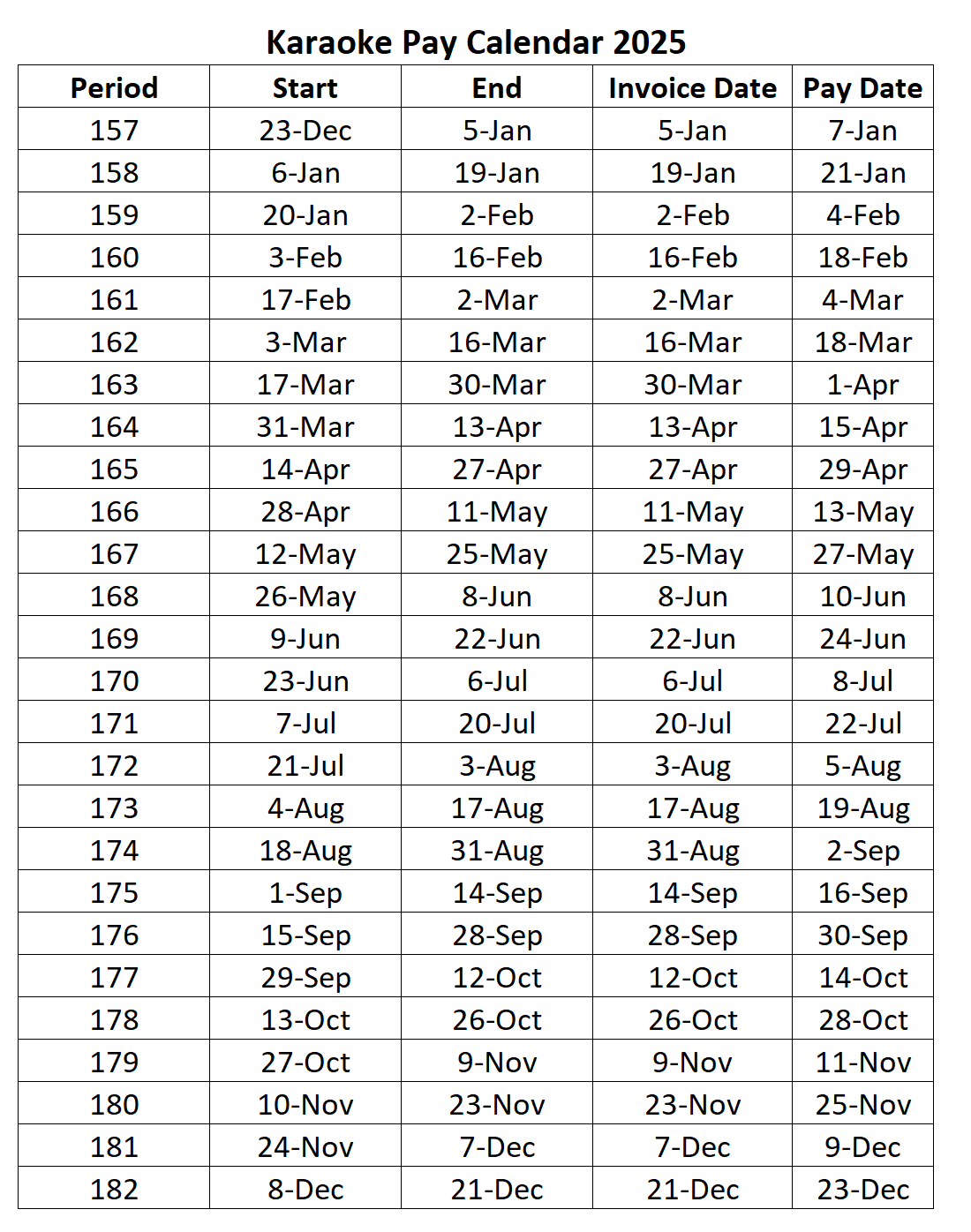
Pay Dates
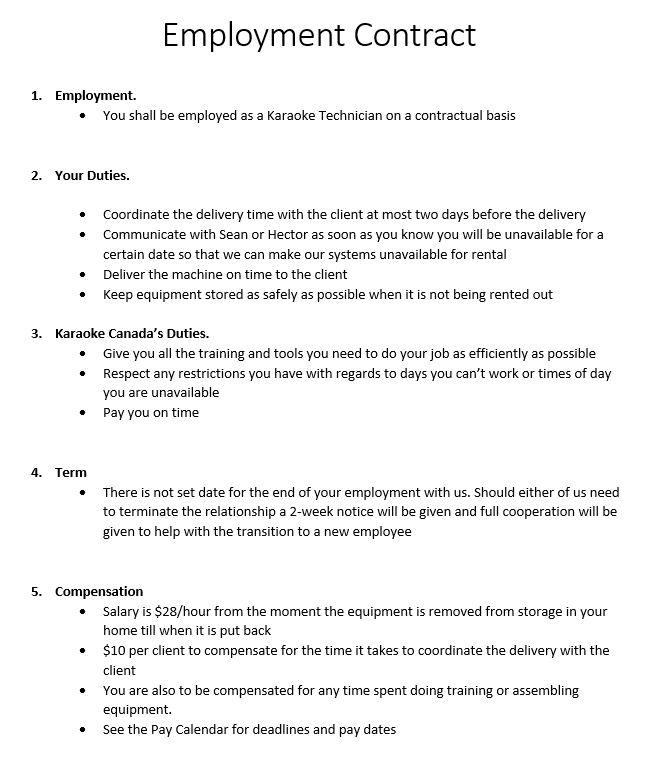
Employment Contract
Installation Video
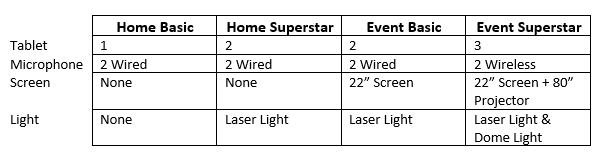
Installation Guide
Delivery Notes
- Tell me as soon as something breaks so that I can send out a new part.
- Always deliver fully charged tablets unless you’re picking up a system and redelivering the same day and don’t have time to charge.
- Only give the client what they paid for. The exceptions to this would be 1- Giving a party light to a guest if they’re especially nice and 2- If equipment is defective and you have no other choice (for example giving wireless microphones because the wired mics aren’t working).
- Refer to the “Installation Guide” section above to confirm what each system (home/corp basic/corp high-quality) includes.
- Always make sure you are bringing the correct equipment with you to a delivery.
- The client should be called at least 2 days before the rental date to confirm the delivery and pickup times. When talking with them you should also confirm the address.
- If a client is having issues with a system and gives you a call, try to help him out over the phone for a maximum of 15 min. If the problem can’t be resolved in that time frame tell me and I’ll give them a call.
- Always bring the spare cable bag with you on deliveries and make sure it’s always complete.
- The tablet should always connect automatically to the network that is integrated in the karaoke machine, if they don’t the network name is karaoke-party and the password is aaaaaaaa (the letter “a” 8 times)
- There was an issue that came up where the tablet app lost it’s playlist (ie. the right side of the app was blank). If this happens click on the settings icon (top right, beside the language button), enter password kkasdf, the click on “Update Library”
- When installing always make sure the knobs on the console are set to the correct setting according to the printed out sheet you have.